
How I built a red letter edition Bible API


How I built a red letter edition Bible API
Intro
In the beginning of 2024, I set out to build a Bible mobile client for iOS and Android. At the time I was using different LLMs to help me understand what I was reading in the Bible. I often hopped between my physical Bible, the YouVersion app, and different LLMs. The workflow was inefficient and ephemeral, because that wasn't the only thing I was using LLMs for, so any research I was doing on the Bible would get lost in research I was doing for other things.
That's when I decided to take the problem up myself and build a solution. The idea was to create a Bible app that had an LLM directly in the app, so that I could just tap a verse and begin a chat. Then all of my studies would be in my chat history in the app, so I could easily find and reference things I was researching.
Finding a source for the text
I needed a source for the Bible. After researching a bunch of different providers and APIs, I found a Github repository that had some translations pulled from Bible Gateway's API in a JSON format. I pulled that down, created a database and imported six translations to the database. A screenshot of the iOS client below.
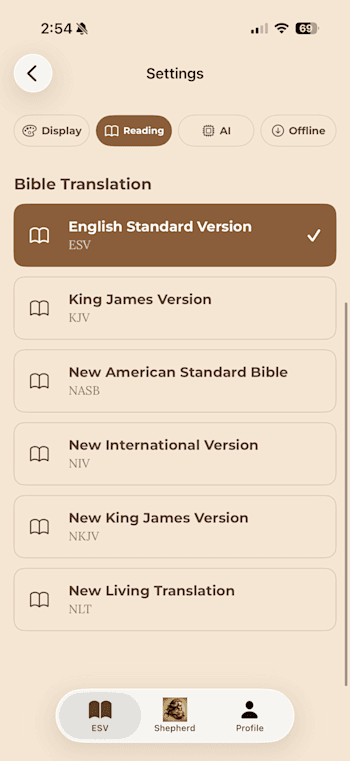
Then I built out a React Native client to pull in the data, and a simple chat screen that integrated with an Open AI model. I created some login and profile stuff so the app could have users and users could save their chats, and released it to the App Store and Google Play.
Swift and Kotlin vs. React Native
Side note: a year or so later when I started using coding agents like Claude Code, I rewrote this app into Swift and Kotlin by just prompting the agent to rewrite the existing React Native app. It took a few weeks to get all components tuned up and for me to get familiar with Swift and Kotlin, but the end product is significantly better than React Native. Direct access to the Android and iPhone APIs, much smaller build sizes, much smoother user experience, much more you can do without having to rely on Expo packages.
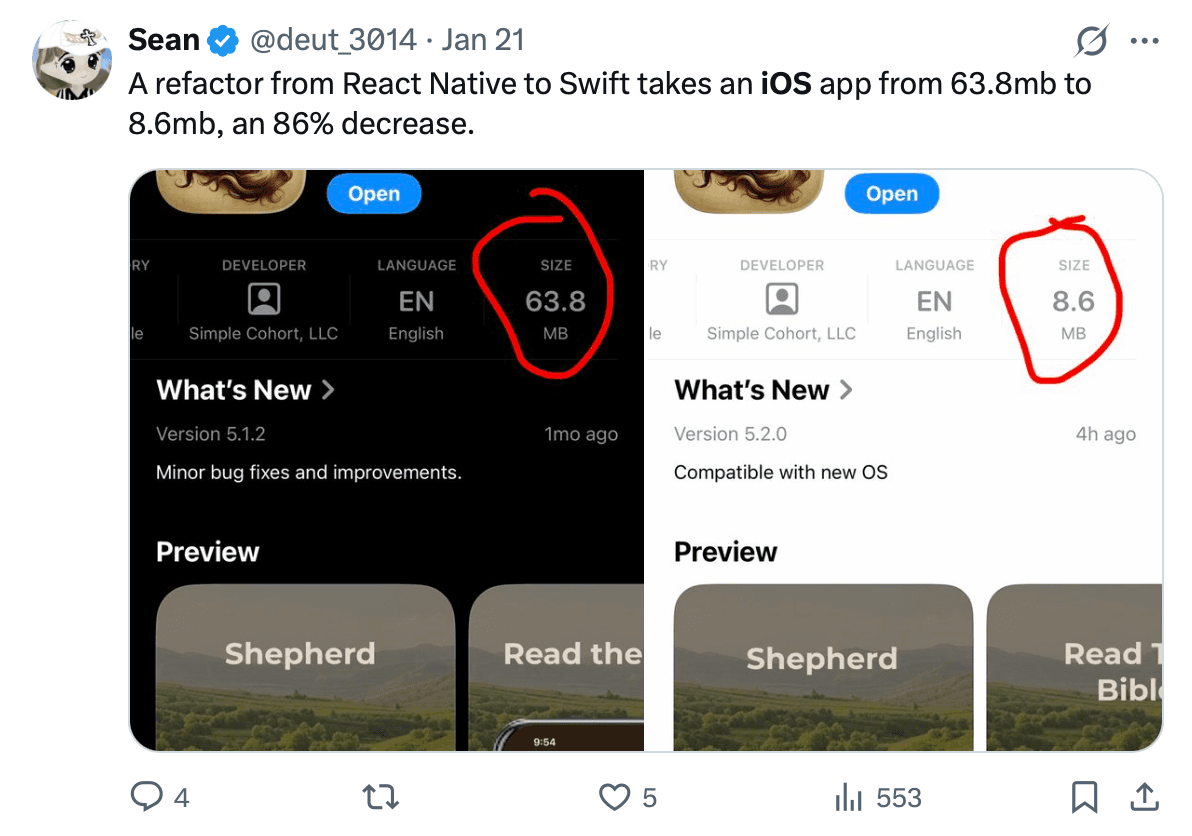
With coding agents, I think there is now no need or good argument to use React Native or any other cross-platform framework for building mobile apps, especially React Native + Expo. The tradeoff for having one codebase is not worth missing out on all the great things you get by writing an app specifically for the native OS.
The red letter piece
A red letter edition Bible is any Bible that highlights the words Jesus speaks in red. In my research, I couldn't find a reliable source for Bible text on the internet that had any sort of red letter indicator in the response. At least in the format I needed it.
I had the Bible text in my database, and I knew that after using LLMs to study the Scriptures, that LLMs knew a good deal about the Bible. So what I did was wrote a script that would run through each book where Jesus speaks (Matthew, Mark, Luke, John, Acts, Revelation), and for every verse I had a giant prompt that I passed into Open AI's gpt-4o model and gave an exact JSON response format I wanted. I asked it to identify phrases in which Jesus was speaking, and return the exact indices for the start and end characters within the verse. Then I knew that if I had the indices, I could check when rendering the verse in the client if there were any values there and if so, make the letters within the start and end indices red. Here's the main part of the prompt below.
You are analyzing a single Bible verse to identify the exact words spoken by Jesus Christ, down to the exact character indices.
Context: ${book} ${chapter}:${verseNumber} (${translation})
Rules:
- Only include Jesus's direct speech/quotes
- Do NOT include narrative text like "Jesus said" or "he replied"
- Do NOT include descriptive text like "and he answered" or "spake unto them"
- Provide character start and end indices (0-based, end exclusive) - If Jesus doesn't speak in this verse, return empty ranges array
- Use the references below for precise indexing Verse text: "${verseText}"
Character reference (index:character, ␣=space): ${characterReference}
Word boundaries reference: ${wordReference}
Analysis approach:
1. Look for quotation patterns or direct speech indicators
2. Identify narrative vs. spoken content
3. Determine if Jesus is the speaker based on context
4. Use character indices to mark exact boundaries
Response format (JSON):
{
"analysis": "Brief explanation of your reasoning",
"ranges": [
{"start": 15, "end": 45, "text": "excerpt of identified Jesus words"},
{"start": 60, "end": 80, "text": "another excerpt"}
]
}
Surprisingly, this was very close to accurate. I started off with one translation, KJV (which is in the public domain), and after this script ran I checked every verse of each book manually. There were some imperfections, like I had to manually update some of the indices by one or two characters, or in some cases it wasn't actually Jesus speaking so I had to clear the value, or in some cases the AI missed it completely so I had to update the indices. I referenced a red letter edition physical Bible of KJV to make sure that my database was accurate.
Conclusion
The result is I now had a dataset which contains red letter edition down to the exact character indices of Jesus' words. A very exciting thing. Anybody can access it from the web here, or they can plug in our MCP server to their preferred LLM as a connector or app, more info here. If you just want to read the Bible, download our mobile apps here.